How to Hang a TV

Everything about hanging a TV comes down to what your lag bolts land in. A mount screwed into drywall alone will come off the wall, usually months later, usually with the TV on it. The anchor question is the whole job, and the rest is measuring.
So the order is: find real structure, confirm it with a small drill bit, then bolt the plate to that structure with lag bolts long enough to sink at least 1.5 inches of thread into solid wood. Height, cables, and mount style all come after, and they only matter once the plate is genuinely attached.
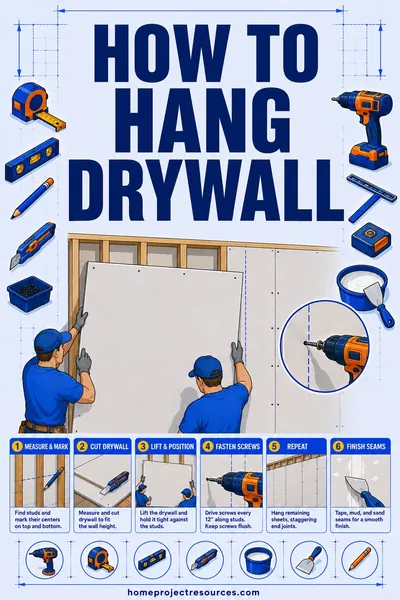
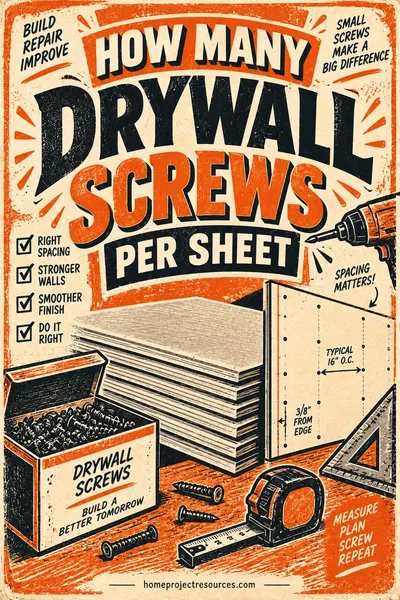
Patching or replacing wall board around the mount? Our drywall calculator gives you sheets, screws, and mud in about 20 seconds.
Updated August 2026
A note on numbers. No dollar figures on this page. Mount hardware and installer rates move by brand, by region and by season, and a printed range would be wrong for most readers. What follows is which mount suits which wall, what an installer is actually billing for, and the questions that make two quotes comparable.
How to hang a TV: the whole job in order
- Weigh the job. Check the TV's weight and VESA hole pattern against the mount's rating.
- Pick the wall. Confirm what is behind it: wood studs, metal studs, brick, block, or plaster over something.
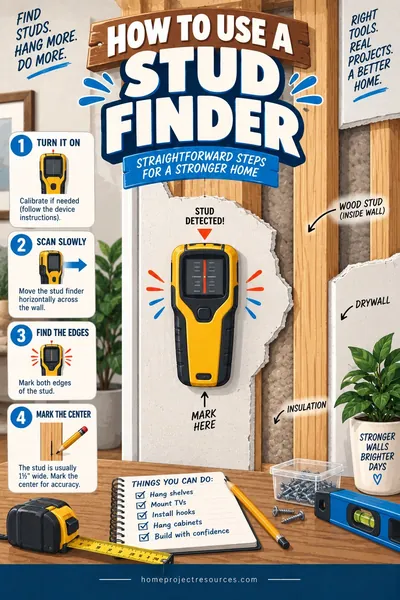
- Find and mark the studs, then prove them with a 1/8 inch drill bit before you commit.
- Work out the mount height from your own seated eye level, not from a rule of thumb.
- Level the wall plate, drill pilot holes, and drive the lag bolts.
- Bolt the arms or brackets to the TV with the correct screw length and any spacers.
- Route the cables through in-wall rated cable, a recessed box, or a surface raceway.
- Hang the TV, level it, tighten everything, and tug test it before you let go.
Budget 2 to 3 hours for a fixed mount on wood studs with a surface raceway. Add 1 to 2 hours for in-wall cable routing, and more if you are cutting into plaster or masonry.
Finding studs you can actually trust
Stud finders lie. They read insulation seams, pipes, wires, old blocking, and the seam where two sheets of drywall meet. Treat any reading as a guess until you confirm it, then confirm the confirmation.
Start with the electronic stud finder. Calibrate it on a clear part of the wall, sweep slowly, and mark both edges of the stud rather than just the center. A real stud reads about 1.5 inches wide. If you get a hit that is 4 inches wide, you have probably found a pipe, a stack of wires, or a doubled stud at a corner.
Use the knuckle test as a cross-check. Rap along the wall with a knuckle. Hollow bays sound loud and drummy, and the note goes dull and tight over a stud. This will not tell you the exact center, but it tells you fast when the stud finder is inventing things.
Read the outlet boxes. Most boxes are nailed to the side of a stud. Pull the cover plate off with the breaker off, look at which side the box is attached to, and you have a stud edge at a known location. Then measure across in 16 inch increments, and check 24 inch increments too, since many homes framed after the 1970s use 24 inch spacing on some walls.
Confirm with a drill bit. This is the step that separates a solid mount from a failure. Drill a 1/8 inch hole at your marked stud center. Wood gives steady resistance and pushes out light-colored shavings. An empty bay gives a sudden drop of resistance after about half an inch and no shavings. Metal studs give a distinct scream and metal filings. Probe with a bent wire if you want the stud edges exactly, and drill the test holes where the wall plate will cover them.
Never mount a TV on drywall anchors alone. Even the heavy toggles rated at 50 pounds are rated for a straight downward pull on a flat wall. A TV mount applies a levered pull-out force at the top bolts, which is the one direction drywall handles worst. Half-inch drywall on its own has no useful pull-out strength for this job.
Wood studs, metal studs, brick, and block
The wall type changes the hardware, and in one case it changes which TV you should buy.
Wood studs. Use the lag bolts that came with the mount, generally 5/16 inch by 2.5 to 3 inches. Pilot drill about 70 percent of the bolt diameter, so roughly 7/32 inch for a 5/16 lag. Bolt into at least two studs where the plate allows it. Drive the lags until the washer is snug and the plate does not move, then stop. Overdriving strips the wood and leaves you with less holding power, not more.
Metal studs. Be honest about this one. Metal studs are 25 gauge steel in most homes, which is about as thick as two soda cans. Lag bolts do nothing in them. You need purpose-made hardware: toggle-style anchors designed for steel stud TV mounting, or a snap toggle that grabs the back of the stud flange. Keep the TV lighter, and prefer a fixed or tilting mount over a full-motion arm, because an extended arm multiplies the pull-out force at the top fasteners by three or four times. Many mount manufacturers publish a reduced weight limit for steel studs, sometimes half the wood stud rating. If you want a 75 inch TV on a full-motion arm over metal studs, open the wall and add wood blocking between the studs, or hire it out.
Solid brick. Drill into the brick face, not the mortar joint, using a hammer drill and a masonry bit, then set sleeve anchors or masonry screws rated for the load. Brick face is stronger than the mortar around it. Keep anchors at least 1 inch from any joint so the brick does not spall.
Concrete block. Block is hollow. If you hit a hollow cell, a sleeve anchor spins uselessly. Use a wedge anchor into the solid web where you can find it, or use toggle-style masonry anchors sized for the cell. Test each hole as you drill it: a bit that punches through into air after 1.25 inches has found a cell.
Brick veneer over framing. This looks like brick and behaves like a curtain. It is a single wythe hung off the house with metal ties, and it is not designed to carry cantilevered loads. Either use long fasteners that pass through and reach the framing behind, which needs care and the right sleeve, or mount somewhere else.
Plaster and lath. Old plaster crumbles at the hole edge. Drill slowly, no hammer mode, and go into the stud behind the lath. The lath itself holds nothing.
TV mount types compared
| Mount type | Wall clearance | Tilt and swivel | Relative mount cost | Best for |
|---|---|---|---|---|
| Fixed | 0.5 to 1.5 in | None | The cheapest mount you can buy | Seated viewing, TV at eye level, tight rooms |
| Tilting | 1.5 to 3 in | 5 to 15 degrees down | Modestly above a fixed mount | TVs mounted higher than eye level, glare control |
| Full motion | 2 to 4 in folded, extends 15 to 30 in | Full swivel and tilt | Several times a fixed mount, and the widest spread | Corner rooms, open plans, viewing from two spots |
| Ceiling | Drops 12 to 36 in | Swivel and tilt | Between a tilting and a full motion mount | Kitchens, gyms, rooms with no usable wall |
Those are hardware costs only. Professional installation is billed separately and is usually the larger half, and it roughly doubles once in-wall cable routing is part of the job. Labor is the variable part, so that is what to get a local quote on.
The clearance number matters more than people expect. A fixed mount that sits 0.75 inches off the wall may not leave room for a right-angle HDMI plug on a TV with rear-facing ports. Check your port orientation before you buy the slimmest mount available.
What height should a TV be? The arithmetic
Almost every wall-mounted TV in America is too high. The fix is simple: the center of the screen should land at your eye level while you are seated in the spot you actually watch from.
For most adults on most sofas, seated eye level is 38 to 42 inches off the floor. Measure yours instead of guessing. Sit down, have someone hold a tape measure at the floor, and mark where your eyes are. A low modern sectional can put you at 36 inches. A tall dining chair puts you at 46.
Then work backwards to the bracket.
Worked example: a 65 inch TV, seated eye level at 40 inches.
- A 65 inch 16:9 screen is about 56.7 inches wide and 31.9 inches tall. Call the screen height 32 inches, and the TV with its bezel about 33 inches.
- Screen center goes at 40 inches from the floor.
- Bottom of the screen: 40 minus 16 = 24 inches from the floor.
- Top of the TV: 40 plus 16.5 = 56.5 inches from the floor.
- Measure your TV's hanging point. Hook the arms onto the TV and measure from the top edge of the TV down to the hook line. Say it is 8 inches.
- The top of the wall plate rail therefore sits at 56.5 minus 8 = 48.5 inches from the floor.
- Mark that line, level it, and drill.
Run the same math for a 55 inch TV and the bottom of the screen lands at about 26.5 inches. For a 75 inch, the bottom drops to about 21.5 inches. Bigger TVs sit lower, which surprises people, but the center point is what your neck cares about.
Viewing distance is the other half. For 4K content, a comfortable range is about 1.2 to 1.6 times the screen's diagonal. A 65 inch TV works well from roughly 6.5 to 8.5 feet away. Sitting closer than that is fine for movies and tiring for TV.
Mounting a TV above a fireplace, honestly
It is usually a bad idea, and here is the plain version rather than a hedge.
It is too high. A mantel typically sits 48 to 54 inches off the floor, and the TV goes above that. Your screen center ends up around 65 to 72 inches, which is 25 to 30 inches above seated eye level. You watch it with your chin up. People report neck strain after an hour, and they are not imagining it.
Heat is a real problem. Electronics manufacturers generally spec a maximum operating temperature around 95 to 104 degrees F. The air directly above a working fireplace can exceed that easily, especially with a wood-burning firebox and a shallow mantel. Heat shortens the life of the panel's power supply and can cause the set to shut down mid-use.
If you are going to do it anyway, do these three things. Use a pull-down or articulating mantel mount so the TV can drop to eye level while you watch. Put a thermometer on the wall where the TV will sit and run the fireplace at its normal setting for two hours to see the actual temperature. Extend the mantel out at least 6 to 8 inches so it deflects rising heat away from the wall.
Gas inserts with sealed fronts and deep mantels run cooler than open wood fireplaces. That still does not fix the height.
Cable management and the code point people miss
Three approaches, and one rule that is not optional.
Surface raceway. A paintable plastic channel that sticks or screws to the wall and hides everything. Cheapest, fastest, fully reversible, and usually less than the mount itself. It is visible, but paint it the wall color and it disappears at 6 feet.
In-wall cable, done right. Cut two low-voltage brackets or old-work boxes, one behind the TV and one behind the console, and run the cable inside the bay. Use cable rated CL2 or CL3 for in-wall use. That rating covers the jacket's fire performance, and it is what an inspector will look for.
Recessed box. A recessed media box behind the TV lets the plugs sit inside the wall cavity so the TV sits flatter. Combination boxes with an in-wall rated power outlet on one side and low-voltage pass-through on the other are the clean solution.
The code point: do not run a standard TV power cord inside the wall. A factory appliance cord is not rated for permanent installation inside building cavities, and stuffing one through two holes in the drywall is a common shortcut that fails inspection and voids insurance arguments after a fire. The two legitimate options are a UL listed in-wall power extension kit, which uses in-wall rated cable and proper receptacles at both ends, or having an electrician run a new outlet on a branch circuit behind the TV.
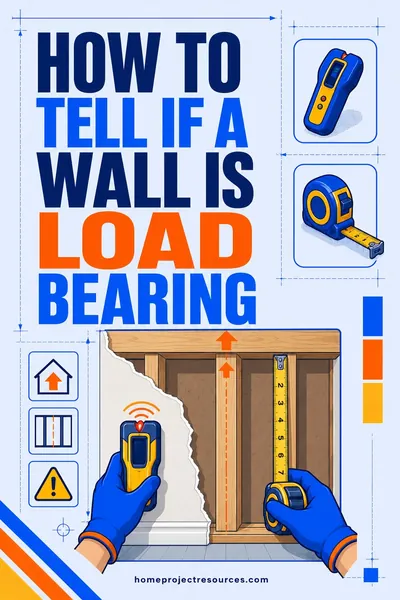
Before cutting into any bay, check what else is in it. Fish tape can snag wiring, and a hole saw can find a water line. If the wall you are cutting is one you are unsure about structurally, read how to tell if a wall is load bearing first, because bearing walls often carry more services and their top plates should not be notched casually.
Weight ratings, VESA patterns, and checking the mount against the TV
Three numbers have to line up, and all three are printed somewhere you already own.
Weight. Find the TV's weight without the stand. It is in the manual and on the manufacturer's spec page. Compare it to the mount's rating, and leave headroom of at least 30 percent. A 55 pound TV on a 60 pound mount is technically fine and practically tight. Note again that steel stud ratings are often lower than the headline number.
VESA pattern. This is the spacing of the four threaded holes on the back of the TV, in millimeters, horizontal by vertical. Common sizes are 200x200, 400x200, 400x400, and 600x400. Measure center to center of the holes if you cannot find it printed. The mount must list your pattern.
Screw size and length. TVs use M4, M5, M6, or M8 machine screws depending on size. Too short and you get two threads of engagement. Too long and you can push a screw into the panel electronics, which is a common way to kill a TV during installation. Use the screws in the mount kit, and if you need spacers to clear a curved back or a recessed port area, use the spacers in the kit rather than longer screws alone.
Then tug test. Once the plate is bolted up and before the TV goes on it, hang your weight off the bottom edge of the plate for a few seconds. If anything creaks or moves, take it apart and find out why.
Cost and time
| Item | Materials | Labor | Notes |
|---|---|---|---|
| Fixed or tilting mount, wood studs | The baseline for this table | Hiring it out costs a few times the hardware | DIY in 2 to 3 hours |
| Full motion mount, wood studs | Several times the fixed mount | Somewhat above the fixed mount job | Heavier hardware, more critical fastening |
| In-wall cable routing kit | Comparable to a mid range mount | Adds roughly as much again as the mounting labor | CL2 or CL3 cable plus recessed boxes |
| New outlet behind the TV | Trivial in parts | The largest labor line here, an electrician's visit | Permit likely required |
| Wall blocking added for metal studs | Trivial in parts | The widest spread, because the drywall has to be opened and closed | Includes drywall repair |
Read that table as a ranking, not a price list. The pattern holds everywhere: hardware is the small half, labor is the big half, and anything that opens the wall or brings in a licensed trade jumps a whole tier. Get two local quotes and make sure both are pricing the same wall type, the same cable plan, and the same outlet decision.
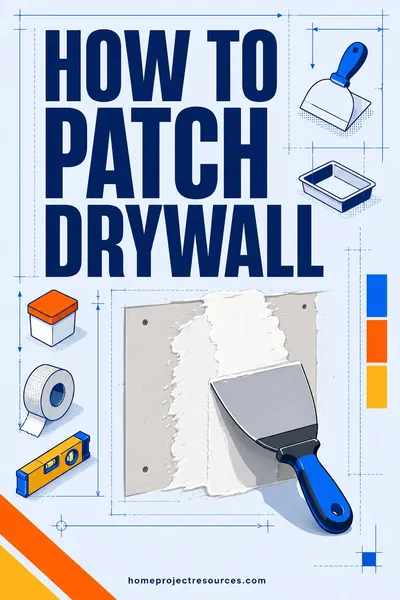
Add drywall repair to the budget if you are moving a mount that was already installed somewhere else. Old lag holes and a torn paper face take patching, taping, and paint before the wall looks right again, and how to patch drywall walks through the whole repair.
Frequently asked questions
Can I hang a TV without hitting studs?
Not safely with drywall anchors alone on a standard mount. The one legitimate no-stud path is a mount specifically engineered for hollow wall use with the manufacturer's own toggle system, and those carry much lower weight limits, usually 60 to 80 pounds for a fixed mount on 1/2 inch drywall in good condition. The better answers are to shift the mount a few inches so it catches a stud, add plywood blocking behind the drywall, or use a floor-standing TV stand.
How high should a 65 inch TV be mounted?
Center the screen at your seated eye level, which for most sofas is 38 to 42 inches. That puts the bottom of a 65 inch screen roughly 24 inches off the floor and the top around 56 inches. Measure your own eye height while seated in your usual spot, because a low sectional and a firm armchair differ by 6 inches or more.
Is it safe to mount a TV over a fireplace?
It is usually too high for comfortable viewing and can exceed the TV's rated operating temperature. If you go ahead, use a pull-down mantel mount, check the actual wall temperature with a thermometer after running the fireplace for two hours, and make sure the mantel projects far enough to deflect heat. A gas insert with a deep mantel is the least risky version of this.
What size lag bolts do I need for a TV mount?
Use the bolts supplied with the mount, typically 5/16 inch by 2.5 to 3 inches for wood studs. What matters is getting at least 1.5 inches of thread into solid wood after passing through the drywall. Pilot drill at about 70 percent of the bolt diameter so the wood does not split, and stop tightening once the washer is snug.
Can I mount a TV on metal studs?
Yes, with the right hardware and a realistic weight limit. Standard lag bolts are useless in 25 gauge steel, so you need steel stud toggle anchors or snap toggles rated for the job. Stick to fixed or tilting mounts, since a full-motion arm multiplies pull-out force at the top fasteners. For a large TV, opening the wall and adding wood blocking is the durable answer.
Can I run the TV power cord inside the wall?
No. A standard appliance power cord is not rated for installation inside a wall cavity, and running one through two drilled holes fails inspection. Use a UL listed in-wall power extension kit, which includes properly rated cable and receptacles at both ends, or have an electrician install a receptacle behind the TV.
How much does it cost to have a TV mounted professionally?
Installers price a straightforward wall mount on wood studs as a short visit, and the mount hardware is billed separately on top. In-wall cable routing roughly doubles the labor, and adding a new outlet behind the TV brings an electrician in, which is the biggest single jump on the whole job. Masonry, above-fireplace, and very large TVs all price higher again. Get two local quotes, and make sure both are quoting the same wall type and the same cable plan, because that is where quotes stop being comparable.
Should I get a fixed or full-motion mount?
Get a fixed mount if the TV sits at eye level and you always watch from the same seat, because it holds the TV closest to the wall and costs the least. Get full motion if you watch from a kitchen and a sofa, if the room is a corner layout, or if you need rear port access. Full motion needs stronger fastening, so it is the wrong choice for a marginal wall.
The short version
Find real structure and prove it with a drill bit. That single step decides whether the TV is still on the wall in five years. Wood studs take lag bolts, metal studs take purpose-made toggles and a lighter TV, brick takes sleeve anchors in the face rather than the mortar, and block needs to be probed for hollow cells.
Then put the screen center at your seated eye level, which for most rooms means the TV is lower than you assumed and much lower than above the fireplace. Route power the legal way, use in-wall rated signal cable or a raceway, and tug test the plate before you trust it with an expensive panel.
If your mount move leaves holes behind, how to patch drywall covers the repair, and our drywall calculator sizes materials if you end up replacing a whole section of wall board.